TLDR
- Structure beats adjectives. Order: subject → environment → camera/light → style → quality (+ exact text + avoids).
- Image 2.0 follows detail. xAI built 2.0 for real creative work: instruction fidelity, designer-like typography, and preservation across edits (xAI).
- Vague vs specific is the main failure mode. “A woman in a park” under-specifies pose, light, lens, and style—so you get generic stock.
- Change one variable per run. Lock composition, then swap light or color; full rewrites are last resort.
- Try here first: paste any prompt on our image generator—main CTA for this guide.
Key Takeaways
- Treat the prompt like a shot brief for a photographer, not a wish list of adjectives.
- Image 2.0’s Quality Mode is positioned for usable stills and edits, not only casual sketches (xAI).
- Put exact on-image text in quotes and keep it short; 2.0 is stronger on typography when the layout is explicit (xAI).
- List avoids (watermarks, extra limbs, fake logos) at the end—don’t bury negatives mid-sentence.
- For region fixes after a good base, pair this guide with Precise Edit and the Image 2.0 tutorial.
- On this site, default to Grok Imagine Image 2 on /image.
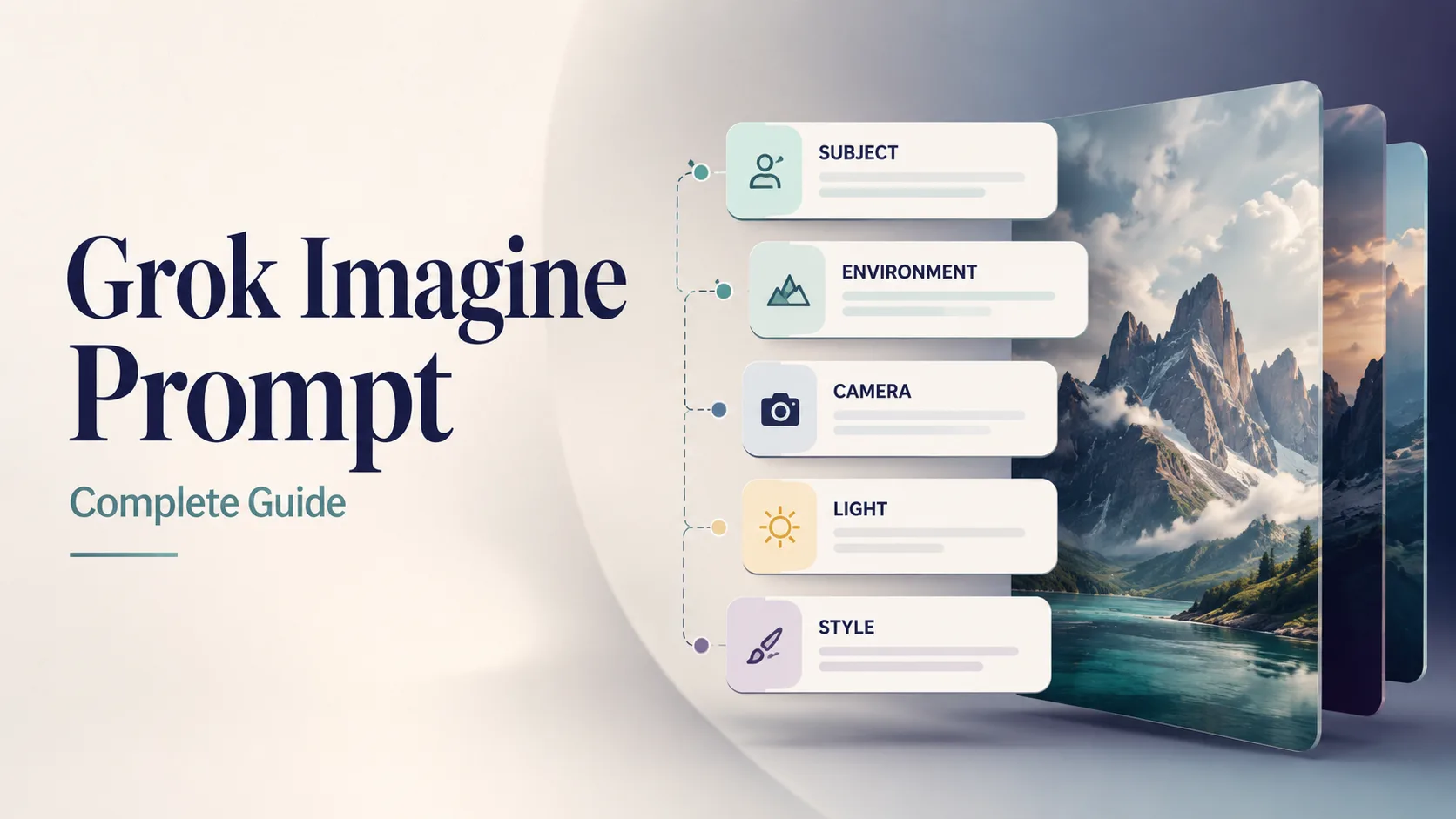
Cover for this prompt guide. Example visual generated for Grok Imagine Image 2.0 workflows on our site.
The five-part Grok Imagine prompt structure
Use this order every time. Front-load identity and scene; put constraints last.
| Slot | What to specify | Weak | Strong | | --- | --- | --- | --- | | 1. Subject | Who/what + attributes + action | “a car” | “matte black EV hatchback, three-quarter front view, doors closed” | | 2. Environment | Place, time, weather, props | “outside” | “wet Tokyo alley at night, neon reflections on asphalt” | | 3. Camera / light | Lens, angle, lighting recipe | “nice light” | “35mm, eye-level, soft side light + gentle rim” | | 4. Style | Medium / genre / grade | “cool style” | “cinematic still, teal-orange grade, film grain subtle” | | 5. Quality + avoids | Fidelity, text, negatives | “best quality” | “sharp focus, no watermark, no extra text, no fake logos” |
[Subject + attributes + action], [environment], [camera / lens / light], [style], [quality constraints], [exact text if any], [avoids]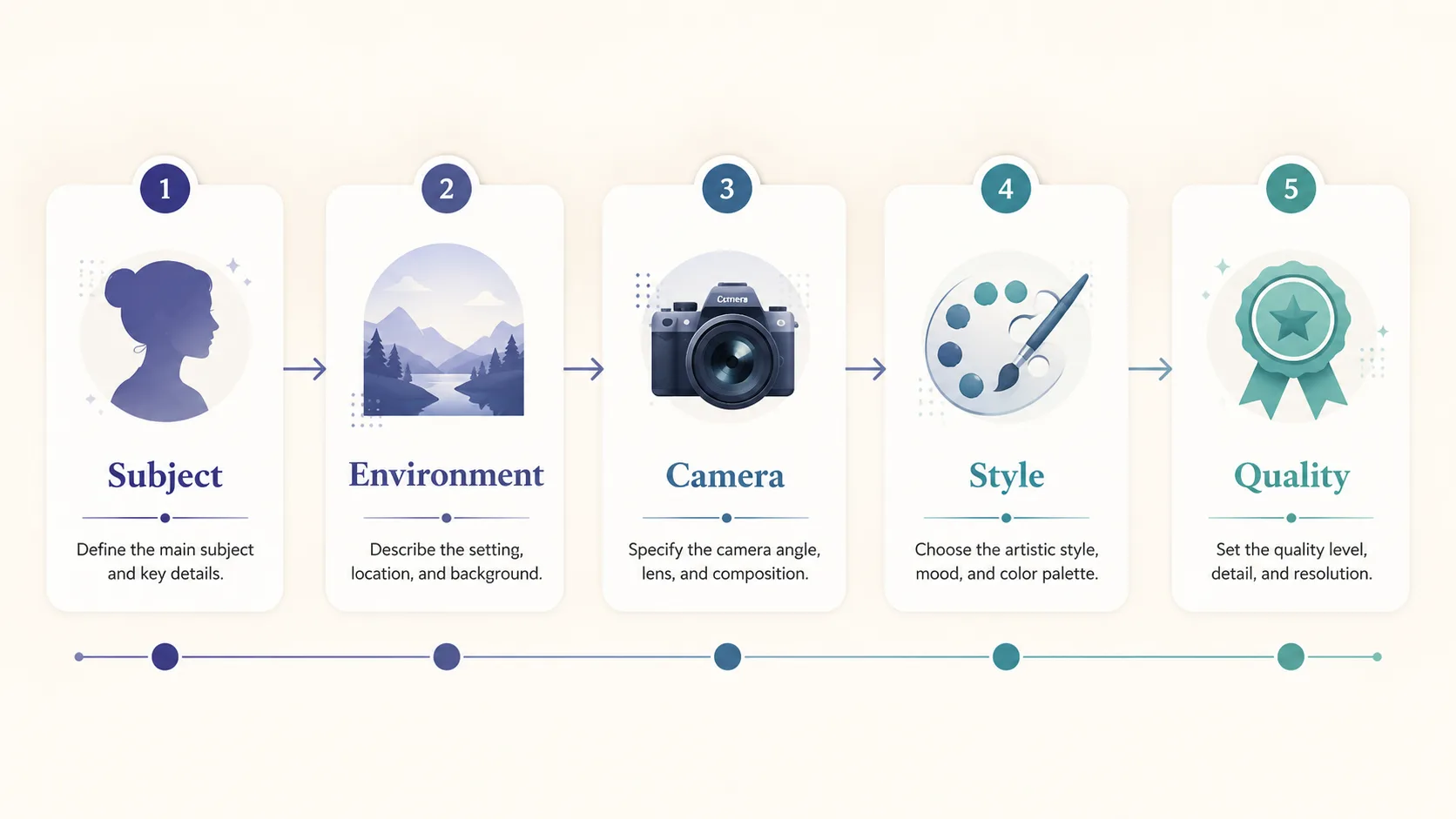
Prompt anatomy for Grok Imagine: subject first, quality and avoids last. Diagram created for this guide.
Optional sixth slot: exact text
When you need readable words in the image, add a short quoted string:
… large exact text "SUMMER SALE", smaller exact text "Up to 40% Off", strong hierarchy, sharp small text …Image 2.0 is explicitly positioned for designer-like typography and layout (xAI)—still: shorter copy = higher success.
Vague vs specific (the money comparison)
| | Vague | Specific |
| --- | --- | --- |
| Prompt | a woman in a park | 30-year-old East Asian woman in a camel wool coat walking through golden autumn maple trees on a Tokyo park path, warm late-afternoon side light, 85mm shallow depth of field, cinematic color grade, natural skin texture, elegant magazine photography, no watermark |
| What the model invents | Age, ethnicity, outfit, season, lens, grade | Almost nothing critical—you already decided |
| Typical result | Generic stock | Directional, editable keeper |
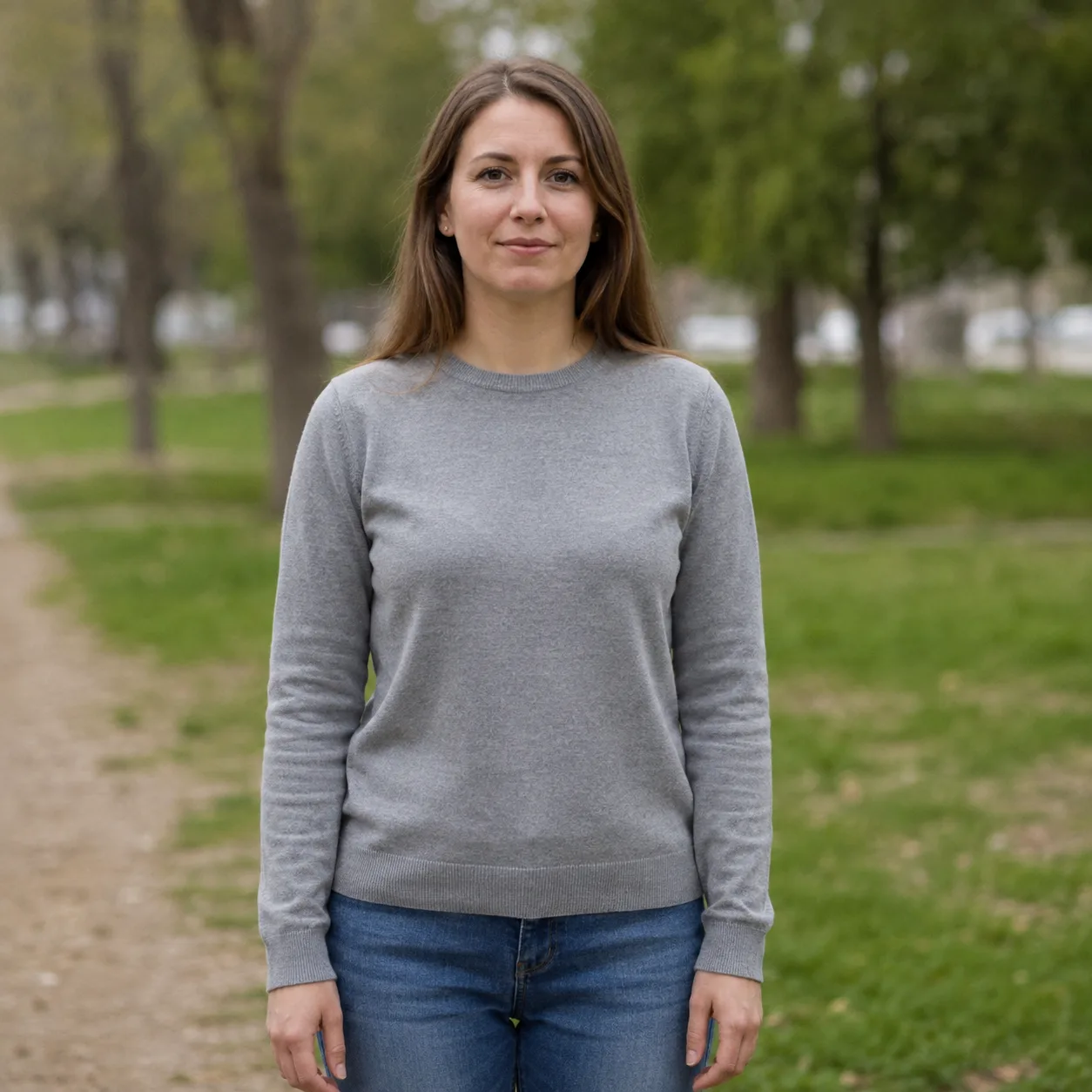
Vague: “a woman in a park.” Flat light, weak story. Example for contrast—generated for this guide.
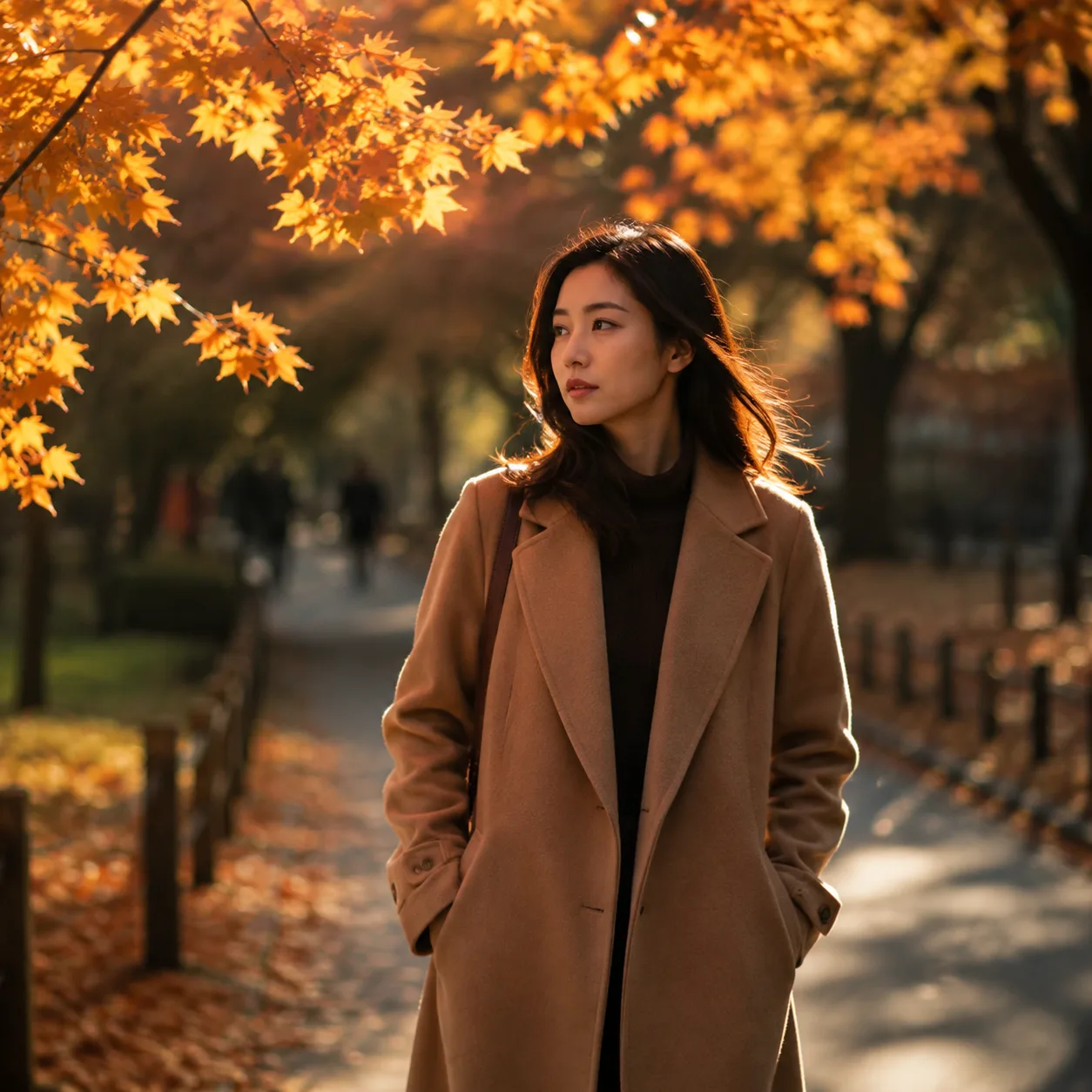
Specific rewrite: subject + season + path + 85mm + grade. Example generated for this guide on our site.
Rule: if a photographer would ask you a question before shooting, put the answer in the prompt.
12 copyable Grok Imagine prompts
Prompts stay in English (model-friendly). Paste as-is into our generator.
1 — Product hero (catalog)
Premium product photo of matte black wireless headphones on seamless soft gray backdrop, three-point studio light, crisp material detail, centered composition, commercial catalog style, sharp focus, no text, no watermark, no logosTry on our site → Open generator
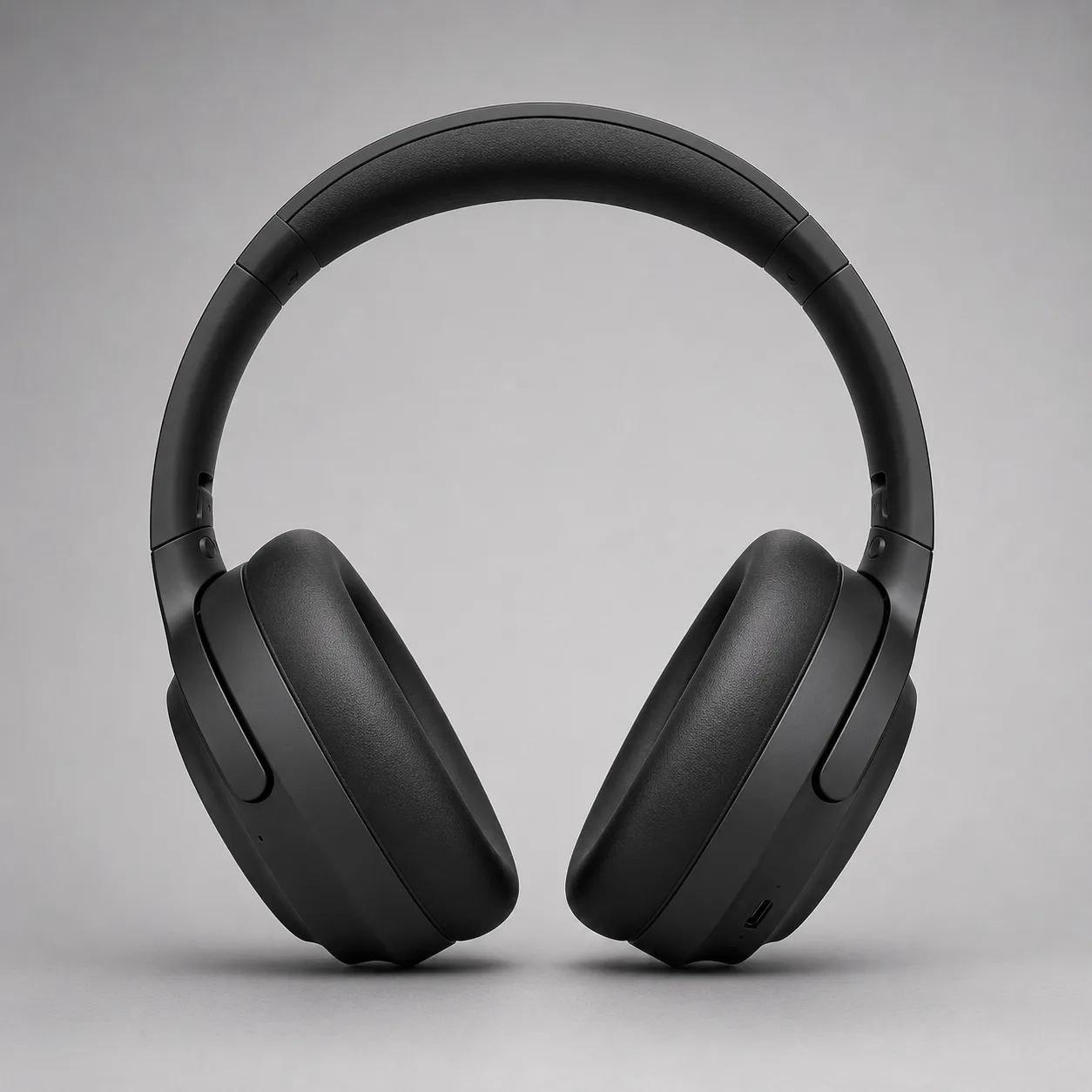
Product hero direction. Example generated for this guide.
2 — Professional headshot
Professional LinkedIn headshot of a confident mid-30s Black man in a navy blazer, soft gray studio background, Rembrandt lighting, 85mm portrait lens, sharp eyes, natural skin texture, corporate photography, no text, no watermarkTry on our site → Open generator

Headshot template direction. Example generated for this guide.
3 — Readable poster with exact text
Editorial poster, large exact text "PROMPT CRAFT", smaller exact text "Subject → Light → Style", modern Swiss graphic design, coral and teal geometric shapes on cream paper texture, strong hierarchy, sharp small text, clean margins, no fake logos, no watermarkTry on our site → Open generator
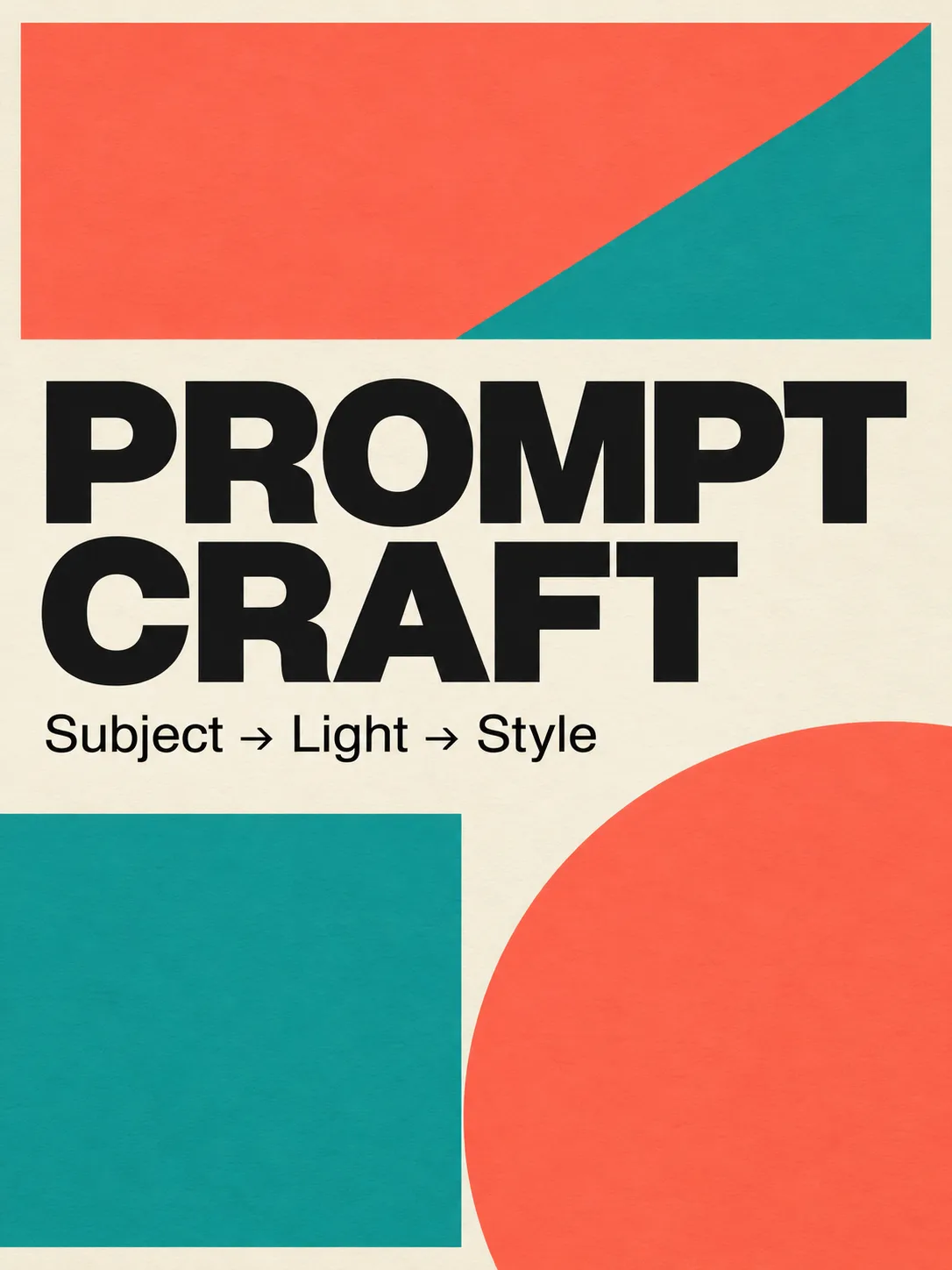
Typography stress test for Image 2.0. Example generated for this guide.
4 — Cinematic landscape / still
Cinematic wide shot of a lone motorcycle rider on a desert highway at blue hour, neon motel signs far away, volumetric dust in headlights, anamorphic lens flares, teal and orange grade, film still look, highly detailed, no text, no watermarkTry on our site → Open generator
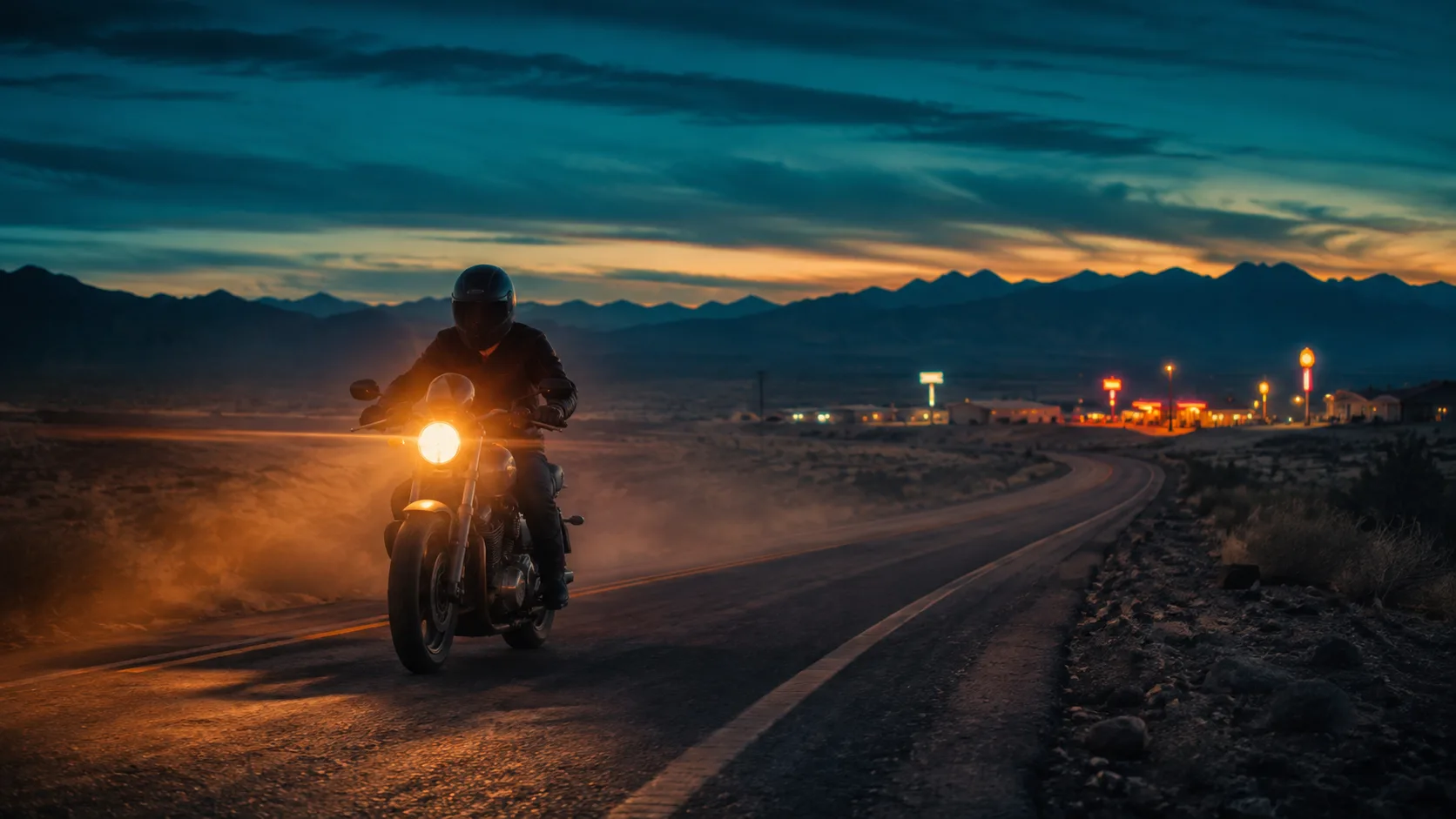
Cinematic still direction. Example generated for this guide.
5 — Food / lifestyle
Overhead flat-lay of a rustic sourdough loaf, olive oil bottle, and rosemary on warm marble, soft morning window light from the left, shallow depth of field, food magazine style, appetizing color, no text, no watermark6 — App / UI mock in scene
Modern smartphone held in a hand over a wooden cafe table, screen shows a clean fitness app dashboard with charts, soft natural window light, lifestyle product photography, shallow depth of field, no brand logos, no watermark, sharp readable UI where possible7 — Game prop asset
Isometric fantasy game prop: crystal-hilt dagger on seamless neutral background, clean game-art style, readable silhouette, limited four-color palette indigo teal gold ivory, soft rim light, asset-sheet ready, no text, no watermark8 — Architecture exterior
Contemporary glass pavilion in a misty pine forest at dawn, long exposure soft fog, 24mm wide angle, architectural photography, cool blue hour palette, sharp glass reflections, no people, no text, no watermark9 — Fashion editorial
Full-body fashion editorial of a model in an oversized charcoal trench coat on a windy rooftop at dusk, city skyline bokeh, 50mm, dramatic side light, high-fashion magazine look, natural fabric motion, no logos, no watermark10 — Infographic-friendly icon set (single card)
Single flat vector-style icon of a glowing lightbulb with a small leaf motif, centered on soft ivory background, thick clean outline, muted indigo and teal fills, app-icon ready, no text, no watermark11 — Kids / illustration (soft)
Soft children’s book illustration of a small fox reading under a mushroom, warm watercolor texture, gentle pastel palette, cozy night atmosphere with fireflies, storybook composition, no scary elements, no text, no watermark12 — Before-edit base (for Precise Edit later)
Clean studio photo of a red ceramic mug on a white table, soft even light, centered, product-photo simplicity, sharp edges, empty background, no text, no watermark — leave room for later color or logo editsAfter a keeper base, change one region instead of regenerating everything—see Precise Edit.
Iteration loop (10 minutes)
- Open the image generator.
- Paste one of Prompts 1–4 without edits; generate once.
- Score: subject OK? light OK? style OK? text OK?
- Change one slot only (e.g. light, or background color).
- If only a region is wrong, plan a Magic Wand / segment pass—full rewrite last (Image 2.0 guide).
- Save keepers; don’t hoard near-duplicates.
Common prompt mistakes
| Mistake | Why it fails | Fix | | --- | --- | --- | | Adjective soup (“epic cinematic ultra detailed masterpiece”) | Crowds out subject/light | Prefer one style line + concrete camera/light | | Missing camera language | Random framing | Add lens + angle + DOF | | Long paragraph of exact text | Typography collapse | 2–6 words per text layer | | Negatives mid-sentence | Model confuses intent | End with “no X, no Y” | | Changing five variables at once | Can’t learn what worked | One variable per run | | No “avoids” | Watermarks / extra digits | Explicit “no watermark, no extra fingers…” |
What We Know vs What We Don’t
Know (sourced):
- Image 2.0 is generally available as Quality Mode on grok.com/imagine and Grok iOS/Android as of Aug 7, 2026 (xAI).
- Official goals: close instruction following, designer-like typography/layout, preservation across generations and edits (xAI).
- Editing stack includes Magic Wand, segmentation, background removal, multi-ref (up to 5 images), smart resize (xAI).
Don’t claim without re-check:
- Exact free-tier limits and per-app feature flags change—verify in product UI.
- Arena rankings shift; xAI’s Aug 7 claim is time-stamped, not permanent (xAI performance).
FAQ
How do I write a good Grok Imagine prompt?
Use five slots: subject → environment → camera/light → style → quality/avoids. Add short quoted exact text only when needed. Paste a starter from this page into our generator.
What is the best prompt structure for Grok Imagine Image 2.0?
Lead with identity and action, then place and light, then style, then constraints. Image 2.0 is built for detailed instruction following (xAI), so specificity helps more than buzzwords.
Why does “a woman in a park” look bad?
It leaves age, clothing, season, lens, and grade unspecified—so the model fills in averages. Rewrite with subject attributes + light + lens + style (see the comparison above).
Should prompts be in English?
English prompts are the most consistent for this model family today. You can keep UI and notes in your language; leave the prompt body in English when possible.
How many prompts should I try?
Start with one strong base, then three controlled variants (light / color / crop). Twelve starters on this page cover product, portrait, poster, cinematic, food, UI, game, architecture, fashion, icon, illustration, and edit-base.
Can I fix only part of a failed image?
Yes—prefer region edit over full regen when composition is good. See Precise Edit.
Where should I generate?
Use our free image generator to follow this tutorial end-to-end. Official Grok Imagine surfaces exist for reference (xAI); main CTA here is always this site.
Does Image 2.0 help with text in images?
xAI highlights sharper small text and designer-like layout in 2.0 (xAI). Still keep on-image copy short and hierarchical (Prompt 3).
About Riley Chen
Riley Chen is a creative workflow writer covering Grok Imagine Image 2.0 on this site—turning launch features into repeatable browser steps creators can run the same day.