一句话摘要
- 结构胜过形容词堆砌。 顺序:主体 → 环境 → 镜头/光 → 风格 → 质量(+ 精确文字 + 避免项)。
- Image 2.0 跟细节。 xAI 把 2.0 做成真实创作工具:指令忠实度、设计师级文字/版式、编辑中的一致性保留(xAI)。
- 泛 vs 具体是主失败模式。「公园里的女人」不指定姿势、光、镜头与风格——结果就是通用素材感。
- 每次只改一个变量。 先锁构图,再换光或颜色;整段重写是最后手段。
- 先在本站试: 把任意提示词贴进 图片生成器——本篇主 CTA。
关键要点
- 把提示词当成摄影师的拍摄 brief,而不是形容词许愿单。
- Image 2.0 的 Quality Mode 定位是可用静帧与编辑,而不只是随手草图(xAI)。
- 图中精确文字用引号包短句;布局写清楚时,2.0 的排版更稳(xAI)。
- 避免项(水印、多余肢体、假 logo)放在句末——别埋在中间。
- 基底不错只改局部时,配合 Precise Edit 与 Image 2.0 上手。
- 本站默认 Grok Imagine Image 2,主路径 /image。
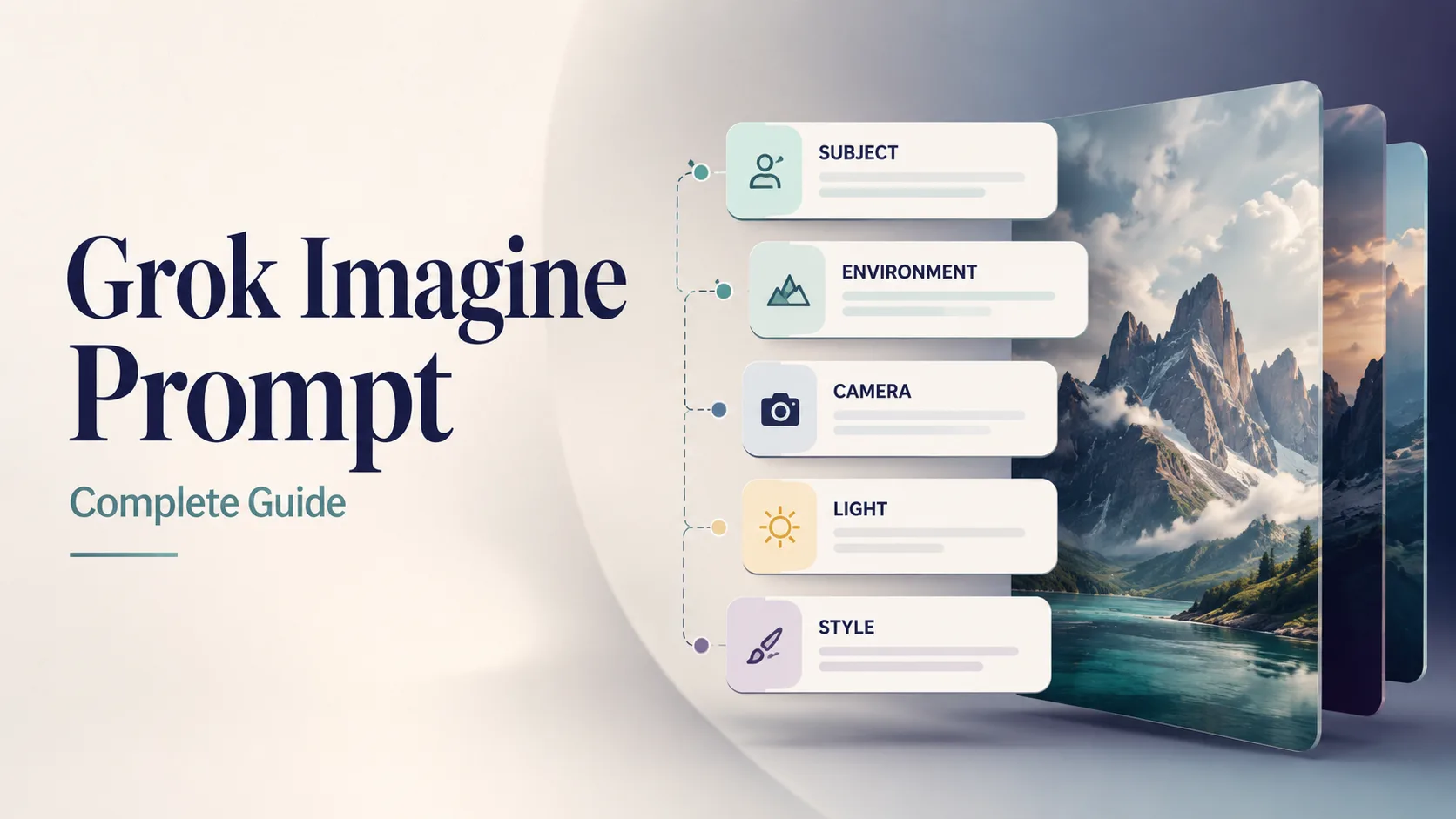
本篇 Prompt 指南封面。为本站 Grok Imagine Image 2.0 工作流生成的示例图。
五段式 Grok Imagine 提示词结构
每次按此顺序。身份与场景前置,约束放最后。
| 槽位 | 要写清什么 | 弱 | 强 | | --- | --- | --- | --- | | 1. 主体 | 是谁/什么 + 属性 + 动作 | “a car” | “matte black EV hatchback, three-quarter front view, doors closed” | | 2. 环境 | 地点、时间、天气、道具 | “outside” | “wet Tokyo alley at night, neon reflections on asphalt” | | 3. 镜头 / 光 | 焦段、角度、布光 | “nice light” | “35mm, eye-level, soft side light + gentle rim” | | 4. 风格 | 媒介 / 类型 / 调色 | “cool style” | “cinematic still, teal-orange grade, film grain subtle” | | 5. 质量 + 避免 | 清晰度、文字、负面约束 | “best quality” | “sharp focus, no watermark, no extra text, no fake logos” |
[Subject + attributes + action], [environment], [camera / lens / light], [style], [quality constraints], [exact text if any], [avoids]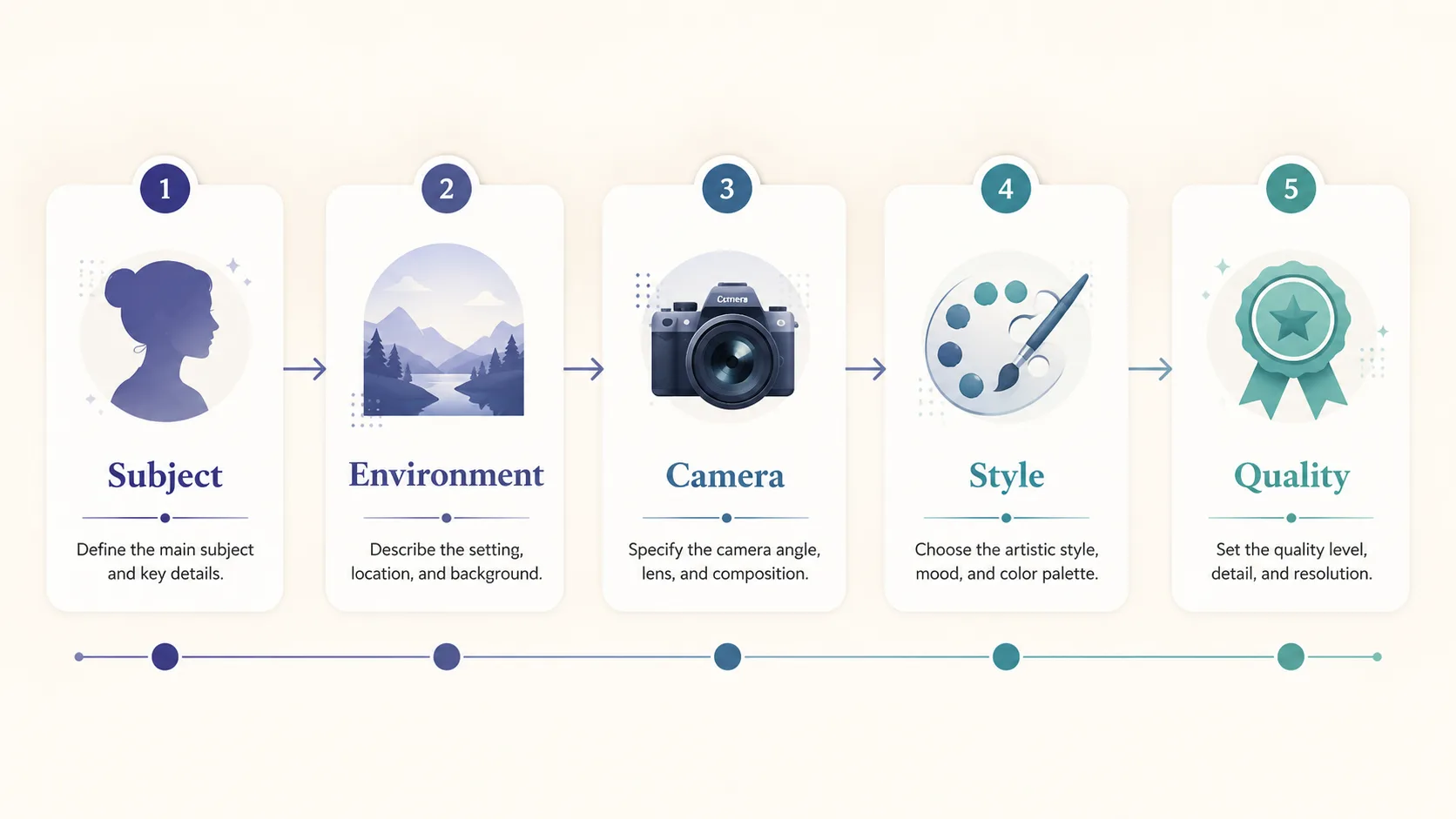
Grok Imagine 提示词解剖:主体优先,质量与避免项放最后。
可选第六槽:精确文字
需要图中可读文字时,加简短引号字符串:
… large exact text "SUMMER SALE", smaller exact text "Up to 40% Off", strong hierarchy, sharp small text …Image 2.0 明确强调设计师级文字与版式(xAI)——仍建议:文案越短,成功率越高。
太泛 vs 具体(最值钱的对比)
| | 太泛 | 具体 |
| --- | --- | --- |
| Prompt | a woman in a park | 30-year-old East Asian woman in a camel wool coat walking through golden autumn maple trees on a Tokyo park path, warm late-afternoon side light, 85mm shallow depth of field, cinematic color grade, natural skin texture, elegant magazine photography, no watermark |
| 模型要瞎编什么 | 年龄、族裔、穿搭、季节、镜头、调色 | 关键信息几乎已定——你替模型做了决定 |
| 典型结果 | 通用素材感 | 有方向、可再编辑的 keepers |
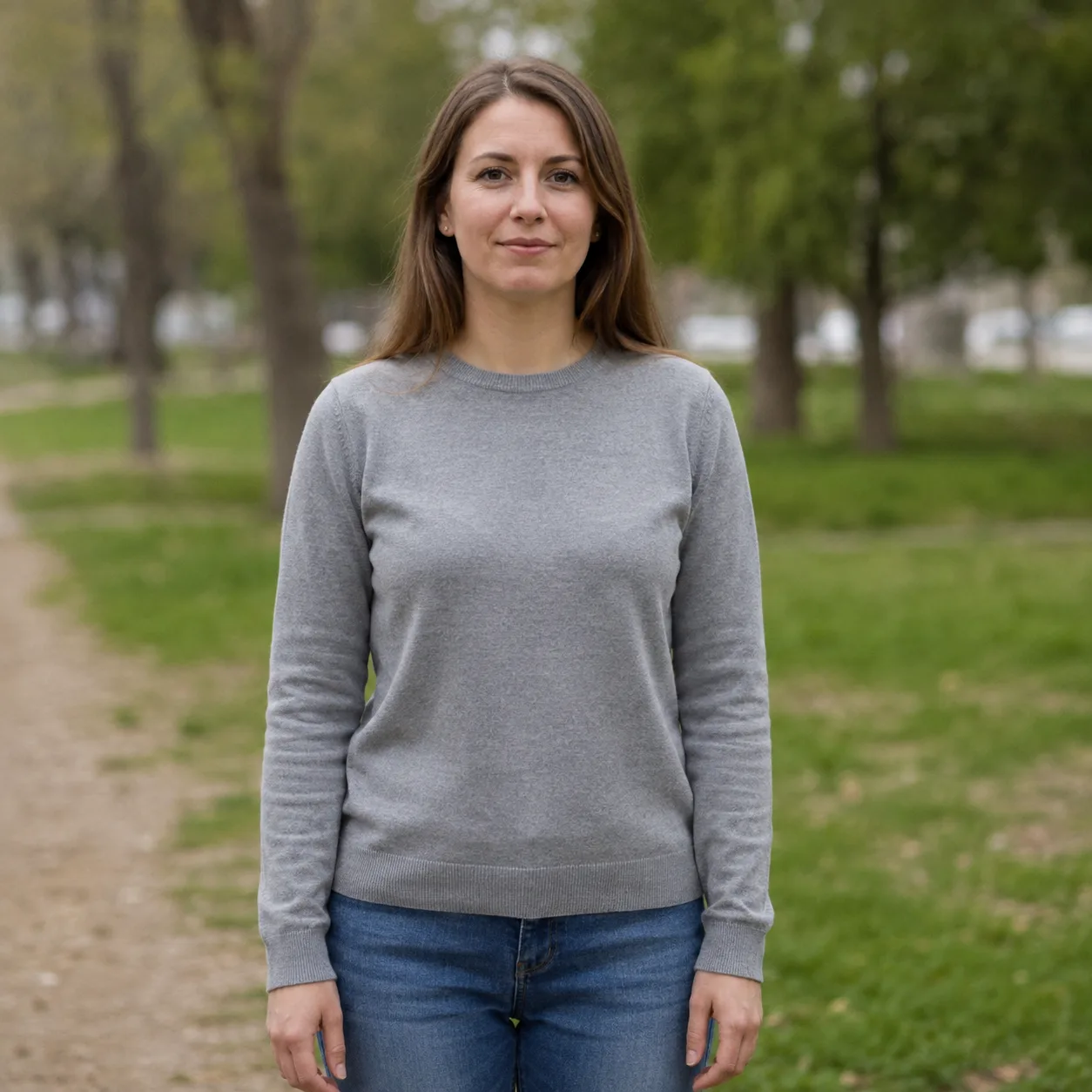
空泛:「公园里的女人」。光平、故事弱。对比示例。
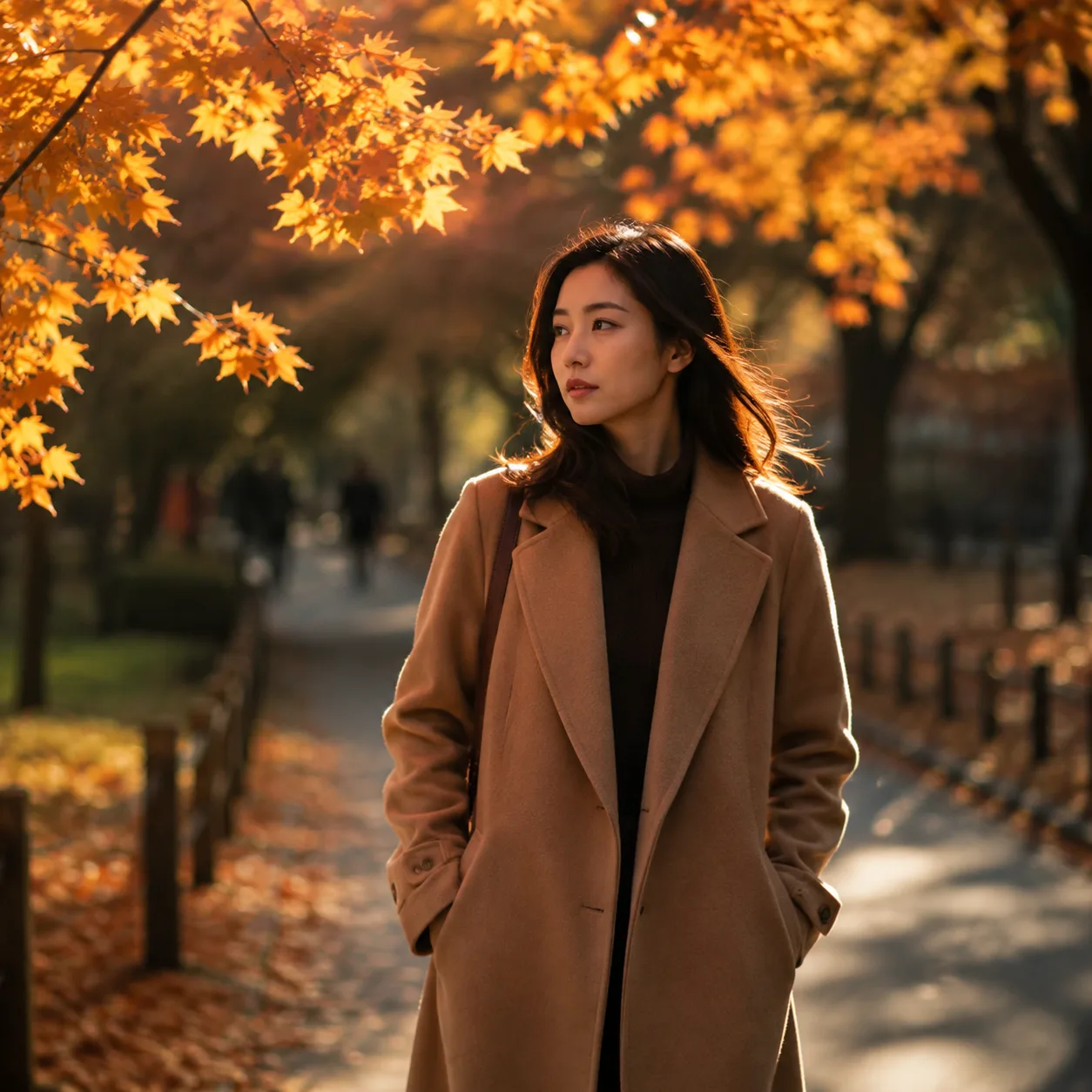
具体改写:主体 + 季节 + 小径 + 85mm + 调色。本站示例。
规则: 若摄影师开拍前会追问你,就把答案写进提示词。
12 条可复制 Grok Imagine 提示词
提示词正文保持 英文(对模型更稳)。原样粘贴到本站 生成器。
1 — 产品主图(目录)
Premium product photo of matte black wireless headphones on seamless soft gray backdrop, three-point studio light, crisp material detail, centered composition, commercial catalog style, sharp focus, no text, no watermark, no logos在本站试用 → Open generator
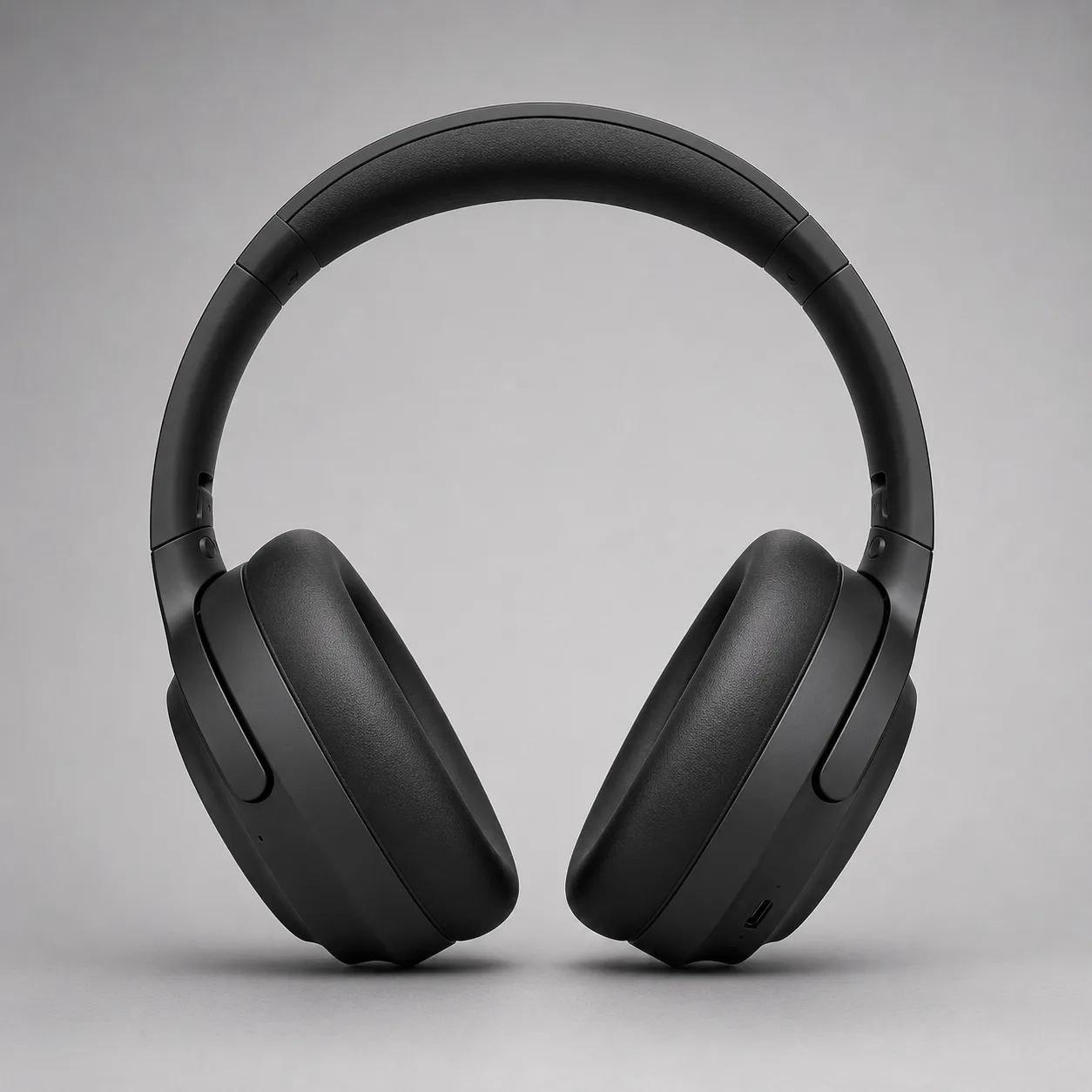
产品主图方向。本指南示例。
2 — 职业头像
Professional LinkedIn headshot of a confident mid-30s Black man in a navy blazer, soft gray studio background, Rembrandt lighting, 85mm portrait lens, sharp eyes, natural skin texture, corporate photography, no text, no watermark在本站试用 → Open generator

头像模板方向。本指南示例。
3 — 可读海报(精确文字)
Editorial poster, large exact text "PROMPT CRAFT", smaller exact text "Subject → Light → Style", modern Swiss graphic design, coral and teal geometric shapes on cream paper texture, strong hierarchy, sharp small text, clean margins, no fake logos, no watermark在本站试用 → Open generator
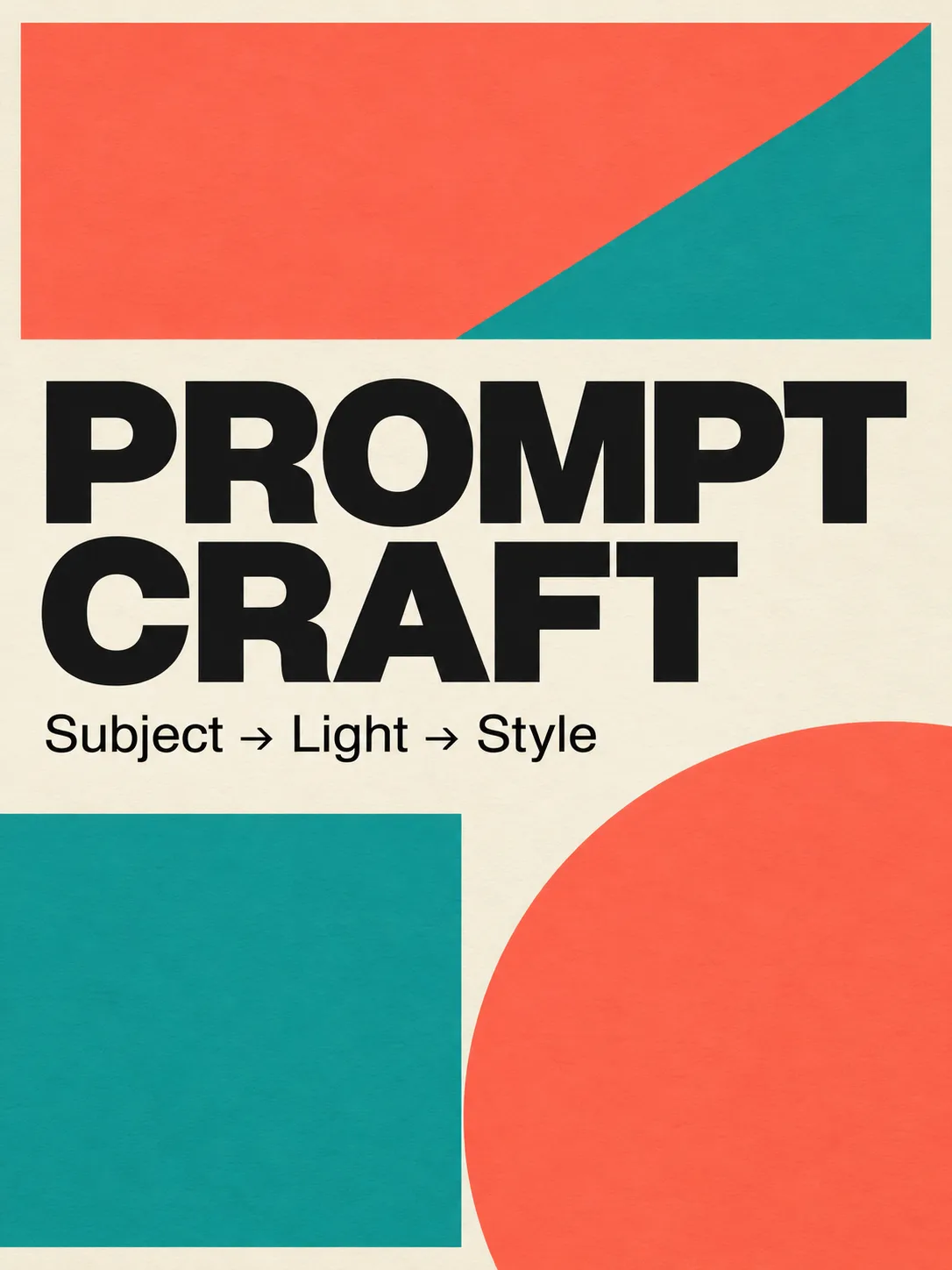
Image 2.0 文字压力测试。本指南示例。
4 — 电影感场景 / 静帧
Cinematic wide shot of a lone motorcycle rider on a desert highway at blue hour, neon motel signs far away, volumetric dust in headlights, anamorphic lens flares, teal and orange grade, film still look, highly detailed, no text, no watermark在本站试用 → Open generator
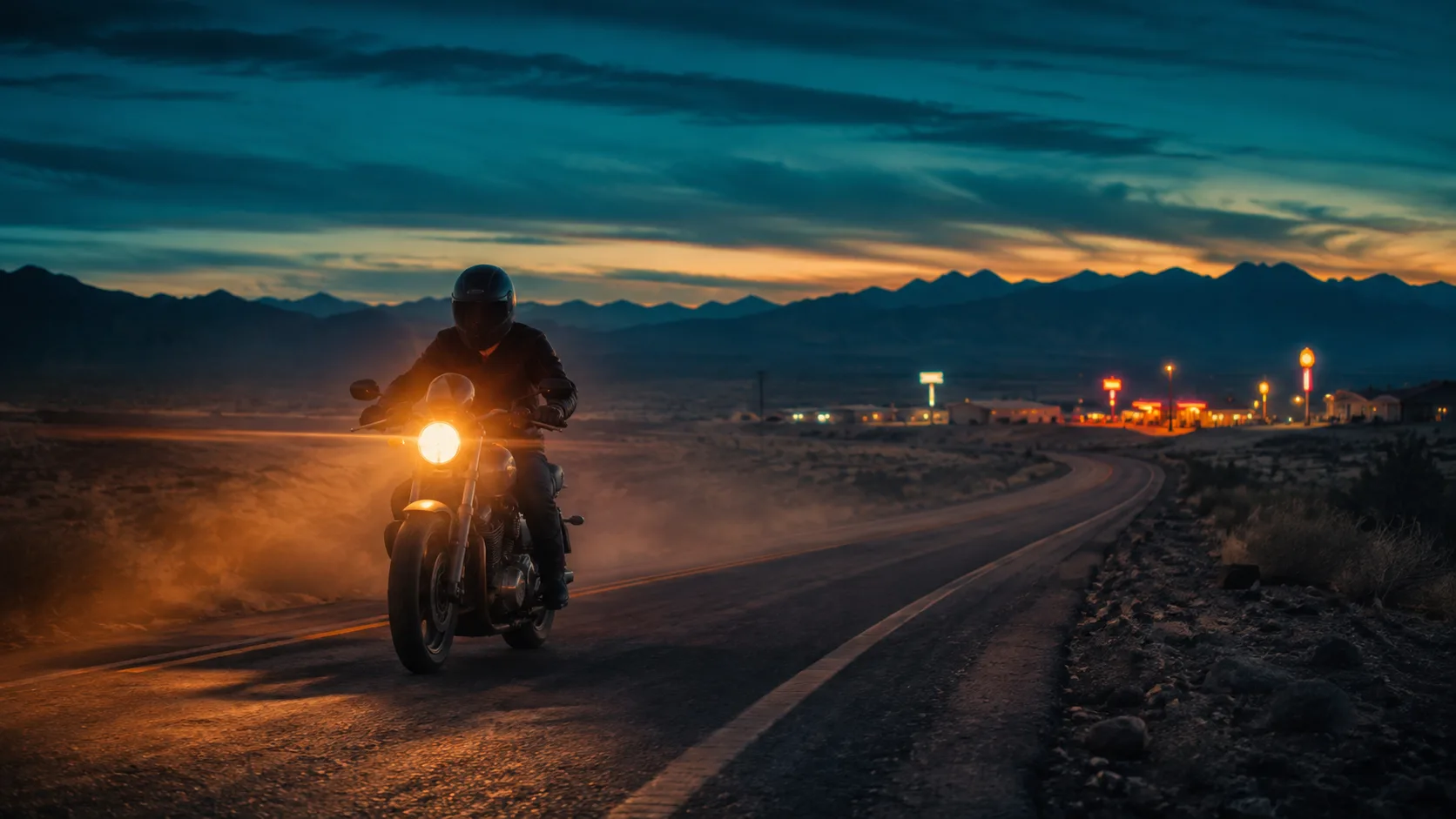
电影静帧方向。本指南示例。
5 — 食物 / 生活方式
Overhead flat-lay of a rustic sourdough loaf, olive oil bottle, and rosemary on warm marble, soft morning window light from the left, shallow depth of field, food magazine style, appetizing color, no text, no watermark6 — 场景中的 App UI
Modern smartphone held in a hand over a wooden cafe table, screen shows a clean fitness app dashboard with charts, soft natural window light, lifestyle product photography, shallow depth of field, no brand logos, no watermark, sharp readable UI where possible7 — 游戏道具资产
Isometric fantasy game prop: crystal-hilt dagger on seamless neutral background, clean game-art style, readable silhouette, limited four-color palette indigo teal gold ivory, soft rim light, asset-sheet ready, no text, no watermark8 — 建筑外景
Contemporary glass pavilion in a misty pine forest at dawn, long exposure soft fog, 24mm wide angle, architectural photography, cool blue hour palette, sharp glass reflections, no people, no text, no watermark9 — 时尚大片
Full-body fashion editorial of a model in an oversized charcoal trench coat on a windy rooftop at dusk, city skyline bokeh, 50mm, dramatic side light, high-fashion magazine look, natural fabric motion, no logos, no watermark10 — 信息图友好图标
Single flat vector-style icon of a glowing lightbulb with a small leaf motif, centered on soft ivory background, thick clean outline, muted indigo and teal fills, app-icon ready, no text, no watermark11 — 儿童插画(柔和)
Soft children's book illustration of a small fox reading under a mushroom, warm watercolor texture, gentle pastel palette, cozy night atmosphere with fireflies, storybook composition, no scary elements, no text, no watermark12 — 待局部编辑的基底
Clean studio photo of a red ceramic mug on a white table, soft even light, centered, product-photo simplicity, sharp edges, empty background, no text, no watermark — leave room for later color or logo edits有了 keepers 基底后,优先改局部而不是整图重生——见 Precise Edit。
迭代循环(10 分钟)
- 打开 图片生成器。
- 不改动,粘贴 Prompt 1–4 之一;先生成一次。
- 打分:主体 OK?光 OK?风格 OK?文字 OK?
- 只改一个槽位(例如光,或背景色)。
- 若只是局部不对,计划 Magic Wand / 分段编辑——整段重写放最后(Image 2.0 指南)。
- 保存 keepers;别囤近重复图。
常见提示词错误
| 错误 | 为何失败 | 改法 | | --- | --- | --- | | 形容词汤(epic cinematic ultra detailed…) | 挤掉主体/光信息 | 一行风格 + 具体镜头/光 | | 缺少镜头语言 | 构图随机 | 加焦段 + 角度 + 景深 | | 图中文字太长 | 排版崩溃 | 每层 2–6 个词 | | 负面词插在句中 | 模型搞混意图 | End with no X, no Y | | 一次改五个变量 | 学不到什么有效 | 每次只改一个 | | 没有避免项 | 水印 / 多余手指 | no watermark… |
我们知道 vs 我们不声称
知道(有源):
- Image 2.0 已作为 Quality Mode 于 2026-08-07 在 grok.com/imagine 与 Grok iOS/Android 全面可用(xAI)。
- 官方目标:紧指令跟随、设计师级文字/版式、跨生成与编辑的保留(xAI)。
- 编辑栈:Magic Wand、分割、去背景、多参考(最多 5 张)、智能缩放(xAI)。
未经再核不要写死:
- 免费额度与各端功能开关会变——以产品 UI 为准。
- Arena 排名会变;xAI 8 月 7 日声明有时间戳,不是永久(xAI 性能)。
FAQ
如何写好 Grok Imagine 提示词?
用五槽:主体 → 环境 → 镜头/光 → 风格 → 质量/避免。需要时再加短引号精确文字。把本页示例贴进 生成器。
Grok Imagine Image 2.0 的最佳 prompt 结构是什么?
身份与动作在前,地点与光其次,再风格,最后约束。2.0 为细节指令跟随而建(xAI),具体比空话有用。
为什么「公园里的女人」效果差?
年龄、穿搭、季节、镜头、调色都未指定——模型只能填平均答案。用主体属性 + 光 + 镜头 + 风格改写(见上文对比)。
提示词必须用英文吗?
目前该模型族英文最稳。界面与旁注可用你的语言;prompt 正文尽量英文。
要试多少条?
先一条强基底,再 三个受控变体(光 / 颜色 / 构图)。本页 12 条覆盖产品、肖像、海报、电影、食物、UI、游戏、建筑、时尚、图标、插画与编辑基底。
能不能只修失败图的一部分?
可以——构图好时优先局部编辑而非整图重生。见 Precise Edit。
应该在哪里生成?
用本站免费 图片生成器 端到端跟练。官方 Grok Imagine 可作为参考(xAI);本站始终是主 CTA。
Image 2.0 对图中文字有帮助吗?
xAI 强调 2.0 更锐的小字与设计师级布局(xAI)。仍建议图中文案短且有层级(Prompt 3)。
关于 Riley Chen
Riley Chen 是本站 Grok Imagine Image 2.0 的创意工作流作者——把发布功能变成创作者当天就能跑的浏览器步骤。