TLDR
- What shipped (Aug 7, 2026): Imagine Image 2.0 is generally available as Quality Mode on grok.com/imagine, plus Grok’s iOS and Android apps (xAI announcement).
- Why it matters: 2.0 targets real creative work—instruction fidelity, designer-like typography/layout, and preservation across generations and edits (xAI).
- Editing stack: Magic Wand region edits, segmentation, background removal, multi-ref (up to 5 inputs), and smart resize (xAI).
- Templates: product shots, headshots, icons, game assets, and more packaged workflows (xAI).
- How to try here: open our image generator, paste a prompt from this page, and iterate—no install.
Key Takeaways
- Image 2.0 is the Quality Mode path for higher-fidelity stills and edits, not just “another fun filter.”
- Official positioning: precise generation + editing for photography, design, and illustration (xAI Image 2.0).
- As of Aug 7, 2026, xAI reports Image 2.0 ranks #2 worldwide on independent Arena boards for both text-to-image and image edit (models listed under SpaceXAI) (xAI performance section).
- Multi-reference editing accepts up to 5 input images in one generation (xAI).
- Templates cover product, headshot, icon, game-asset, and marketing workflows—start from a configured task instead of a blank prompt.
- On this site, the default image model is Grok Imagine Image 2—use /image as the main CTA.
- Deeper follow-ups on this blog plan: Precise Edit guide and Prompt complete guide .
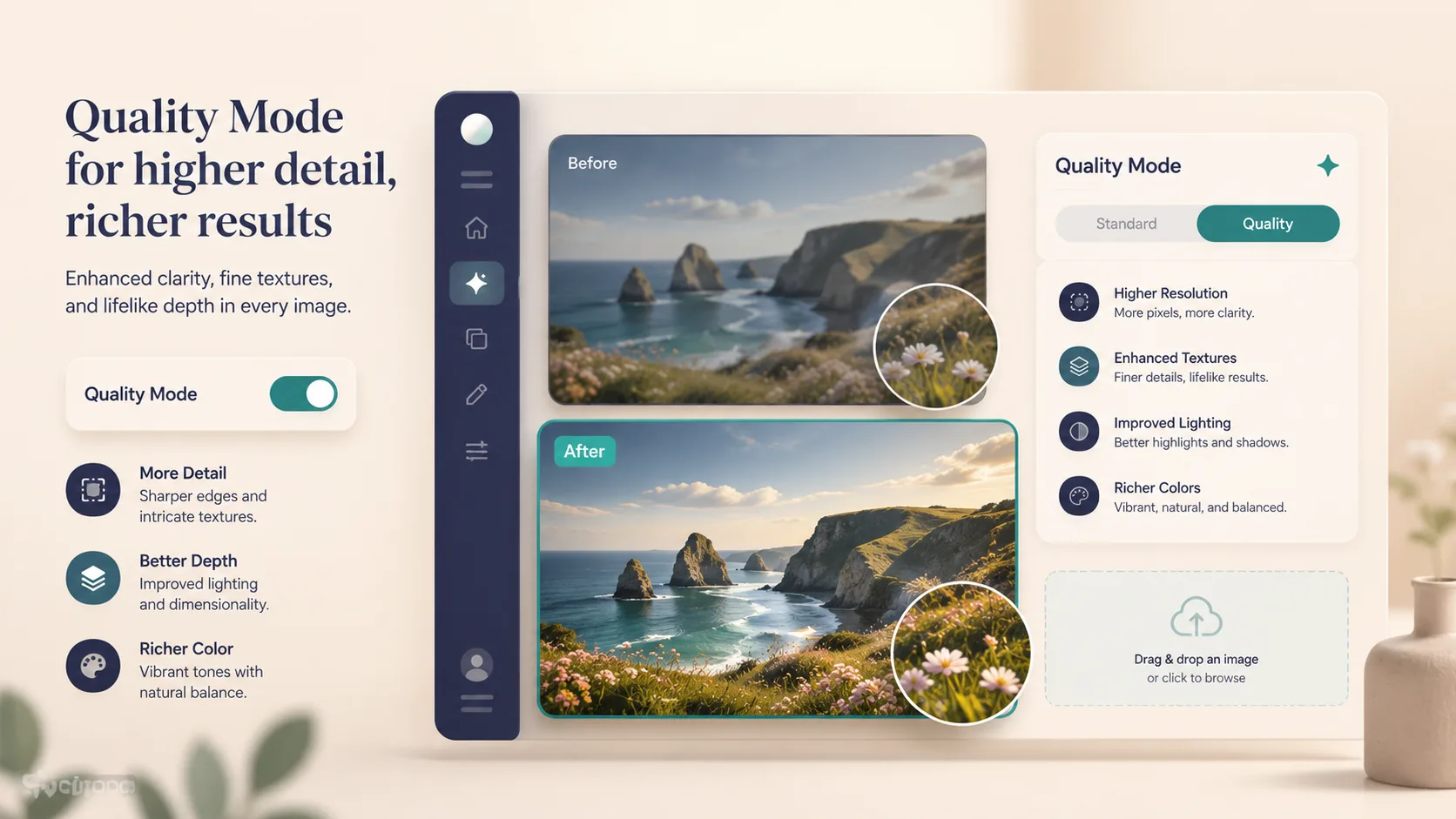
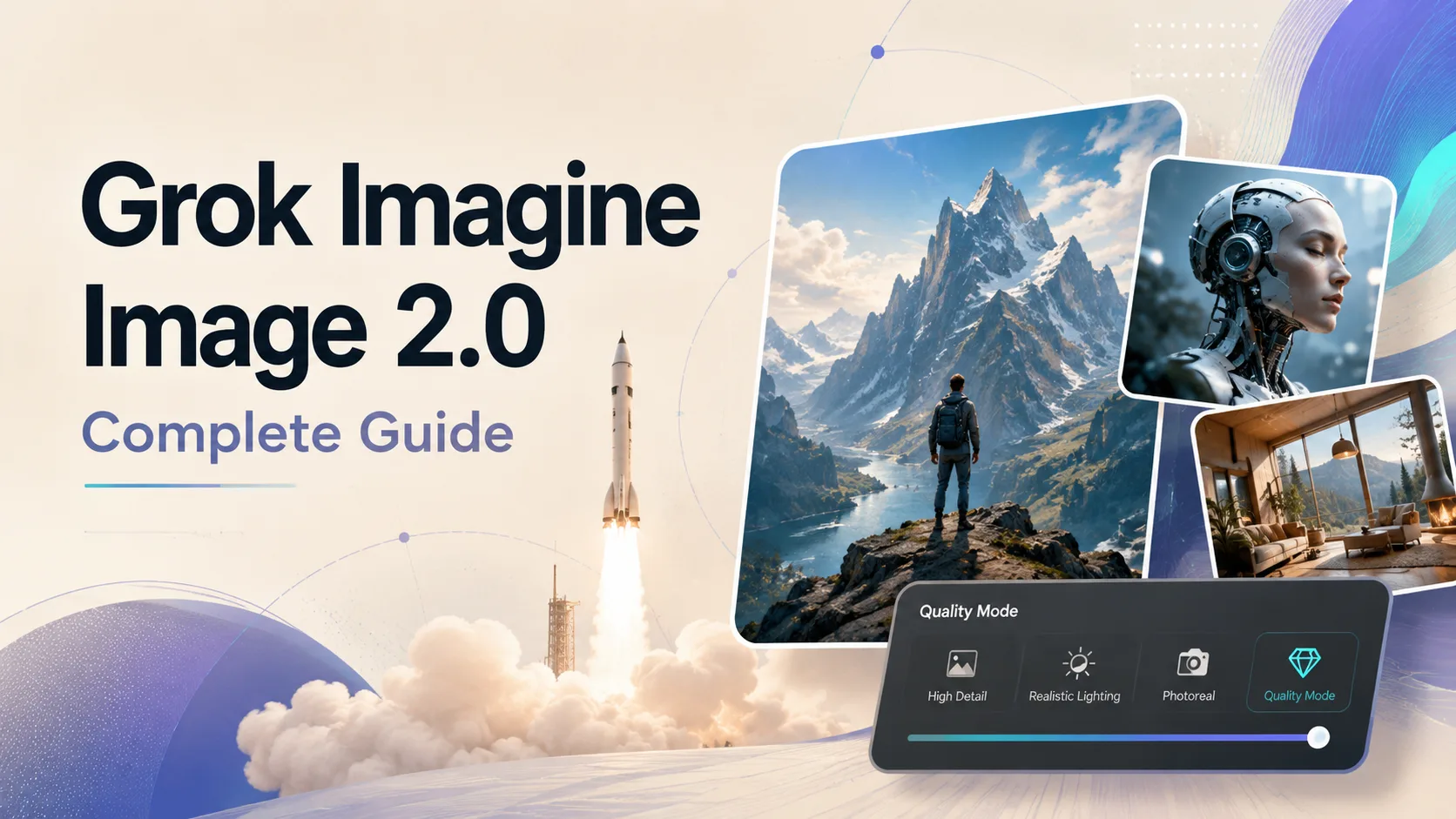
Quality Mode framing for high-detail stills and readable layout. Example visual generated for this guide on Grok Imagine Image 2.0.
What is Grok Imagine Image 2.0?
According to xAI’s Aug 7, 2026 post, Imagine Image 2.0 is generally available as the new Quality Mode on consumer Grok Imagine surfaces (web + iOS + Android). The stated goal is simple: make images you can use in real work.
Compared with a casual “speed” pass, 2.0 is framed around:
| Dimension | What 2.0 emphasizes (official) | | --- | --- | | Prompt fidelity | Follows instructions closely, down to details | | Typography & layout | Plans multi-part visuals like a designer; keeps small text sharper | | Consistency | Preserves what you put in across generations and edits | | Editing | First-class region tools (Magic Wand, segmentation, BG removal) | | Multi-ref | Up to 5 input images per generation | | Resize | Smart resize into common aspect ratios | | Templates | Packaged workflows for common creative jobs |
Earlier Quality Mode messaging on the API side (May 2026) already stressed higher realism and stronger text rendering (Grok Imagine Quality Mode API). Image 2.0 is the consumer-facing Quality Mode generation of that story—with a fuller editing + template surface.
What we know vs. what we don’t
| We know (sourced) | We don’t claim | | --- | --- | | GA as Quality Mode on web/iOS/Android (xAI) | Exact future API ship date (xAI says API access is coming soon) | | Magic Wand / segmentation / BG remove / multi-ref ≤5 / smart resize (xAI) | That every third-party host exposes identical UI chrome | | Arena #2 claim as of Aug 7, 2026 under SpaceXAI listing (xAI) | That ranking alone guarantees your specific brand job | | Templates for product, headshot, icons, game assets, etc. (xAI) | Unlimited free commercial rights without checking your plan |
Feature walkthrough (what to use when)
1) Prompt precision
2.0 rewards specific, structured prompts: subject → environment → camera/light → style → quality constraints. Vague “make it cool” prompts still work for exploration, but commercial jobs need constraints (aspect, text exact words, brand palette, negative avoids).
2) Typography & multi-part layouts
xAI explicitly calls out designer-like typography and layout for dense visuals (xAI). Practical tip: put exact words in quotes, specify size hierarchy (headline vs. subhead), and avoid stuffing five conflicting styles into one line.

Typography-forward poster concept. Example generated for this guide on Grok Imagine Image 2.0.
3) Magic Wand / segmentation (precise edit)
Real work is iterative. Magic Wand edits the region you point at; segmentation selects precise areas; the rest of the frame stays put (xAI). Use this when a full regen would destroy a good composition.
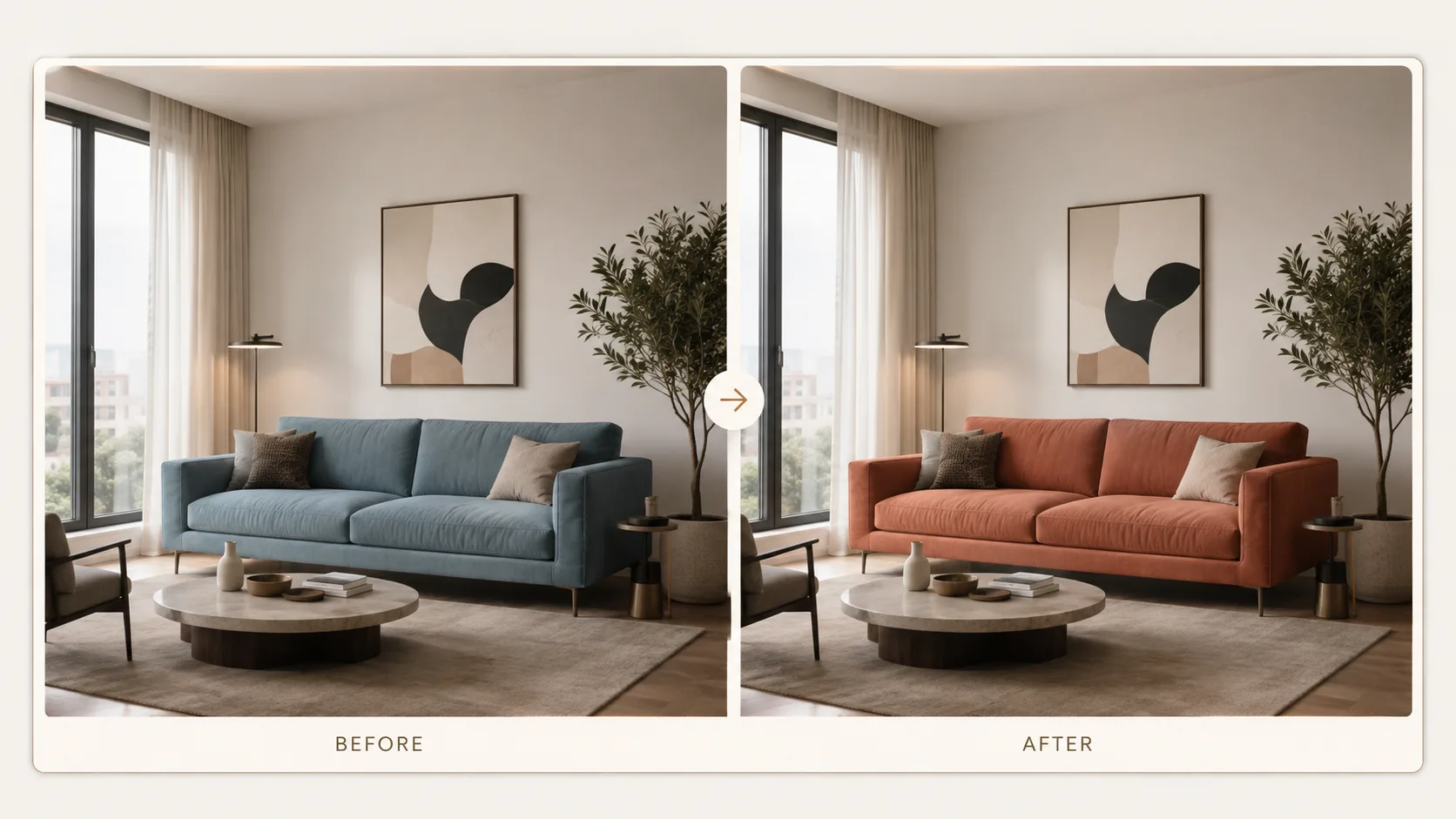
Region-first recolor concept (sofa only). Example visual for this guide on Grok Imagine Image 2.0. For a full step-by-step, see the Precise Edit guide.
4) Background removal
Export a subject with a transparent background ready to drop into other work (xAI). Classic use: product cutouts for ecommerce carousels and ad variants.
5) Smart resize
Pick a target ratio; the model fills the frame intelligently instead of dumb crops (xAI). Handy when one hero asset must feed Instagram 1:1, Stories 9:16, and web 16:9.
6) Multi-reference (up to 5 images)
Feed face / outfit / product / location / palette references in one generation to reduce manual compositing (xAI). Keep references clean and single-purpose—five messy collages will confuse the model more than five clear stills.
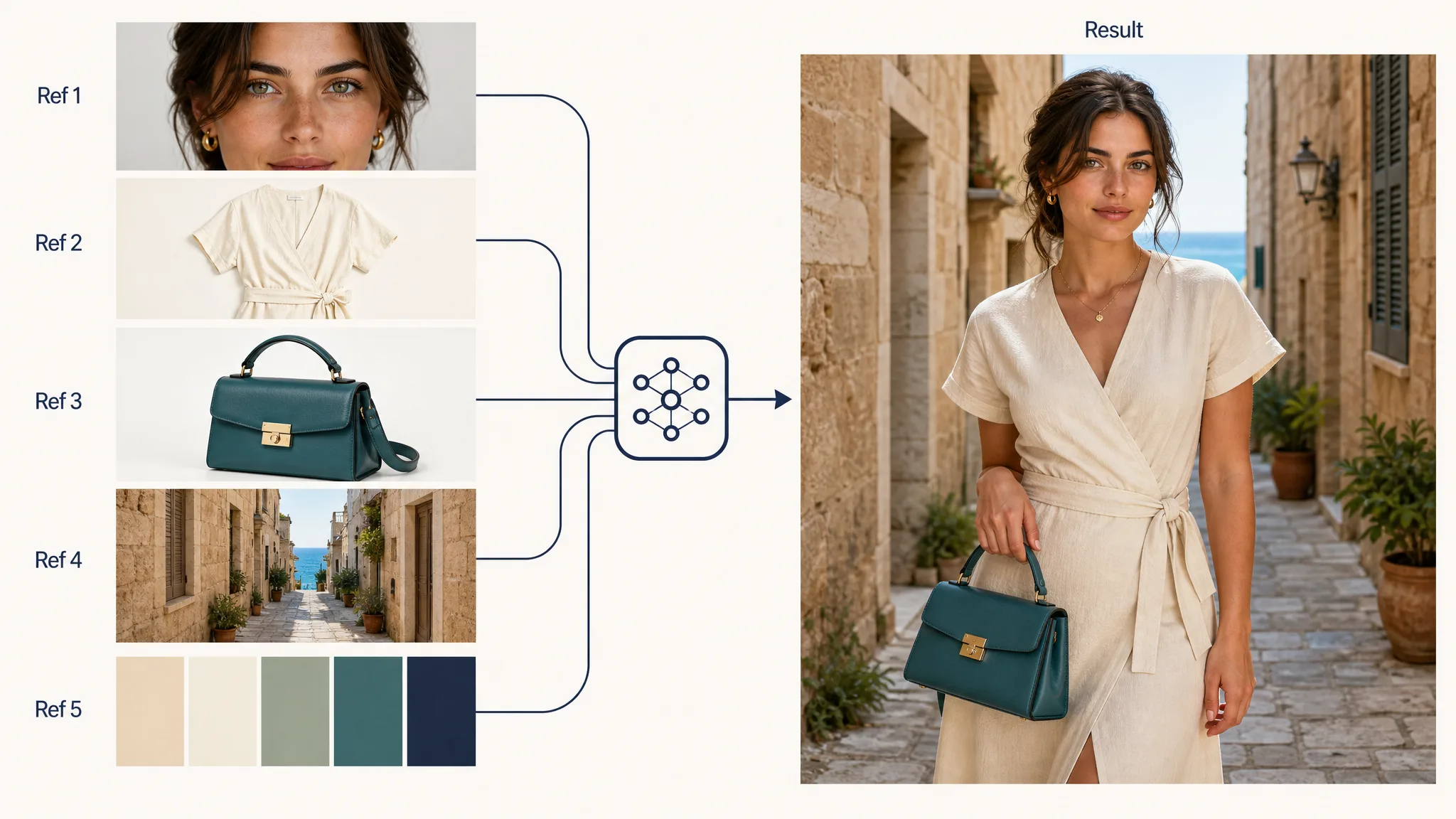
Multi-ref mental model: a few clean inputs → one coherent output. Example visual for this guide on Grok Imagine Image 2.0.
Templates: product, headshot, icon, game assets
xAI ships templates that package common workflows so you supply inputs and get a configured starting point (xAI templates). Map them to jobs:
| Template job | Best for | Prompt focus | | --- | --- | --- | | Product / ecommerce | Catalog stills, color variants | Material, lens, background, brand palette | | Professional headshot | LinkedIn / team pages | Lighting, wardrobe, neutral backdrop, natural skin | | Icon maker | App icons, UI glyphs | Flat vs. 3D, corner radius, single subject | | Game assets / props / sprites | Indie game props, UI kits | Orthographic or sprite rules, palette lock | | Poster / marketing | Campaign stills with type | Exact headline words + hierarchy |
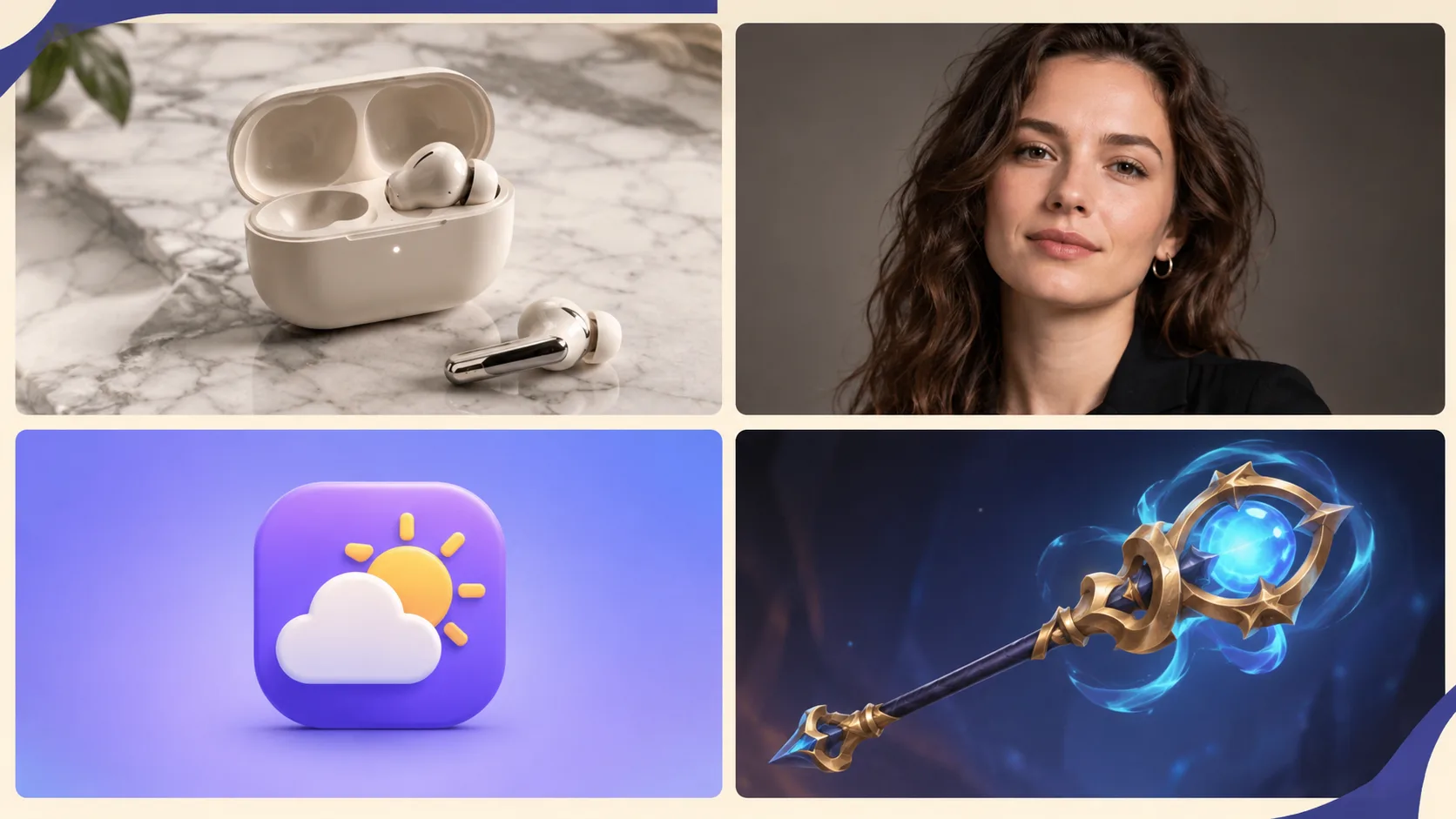
Four template-shaped outputs in one glance. Examples generated for this guide on Grok Imagine Image 2.0.
Where to use it: web, iOS, Android—and our site
| Surface | Role | | --- | --- | | grok.com/imagine | Official consumer Quality Mode / Image 2.0 (xAI) | | Grok iOS / Android | Same Quality Mode path on mobile (iOS, Android) | | This site → /image | Fast browser trial of Grok Imagine Image 2 with copyable prompts from this guide |
You can mention official apps for context; your primary try path here is our generator—no install, no context switch.
Copyable prompts (paste into our generator)
Use these as-is, then tweak brand names and colors. After each block, open /image and run.
Prompt 1 — Product still (ecommerce)
Matte ceramic coffee mug with gentle steam, soft morning window light from the left, shallow depth of field, pale marble counter, warm neutral color grade, commercial product photography, centered hero object, clean negative space for a price tag, no logos, no watermark, photorealisticTry this prompt on our site → Open generator

Product template direction. Example generated for this guide on Grok Imagine Image 2.0.
Prompt 2 — Professional headshot
Professional headshot portrait of a confident woman in her 30s, charcoal blazer over a simple white top, soft gray studio backdrop, softbox key light with gentle fill, natural skin texture, sharp eyes, friendly expression, shoulders-up framing, photorealistic LinkedIn style, no watermarkTry this prompt on our site → Open generator

Headshot template direction. Example generated for this guide on Grok Imagine Image 2.0.
Prompt 3 — Readable poster with exact text
Editorial poster, large exact text "SUMMER SALE", smaller exact text "Up to 40% Off", modern Swiss graphic design, coral and teal geometric shapes on cream paper texture, strong hierarchy, sharp small text, clean margins, no fake logos, no watermarkTry this prompt on our site → Open generator
Prompt 4 — Game prop asset (bonus)
Isometric fantasy game prop: crystal-hilt dagger on a seamless neutral background, clean game-art style, readable silhouette, limited four-color palette indigo teal gold ivory, soft rim light, asset-sheet ready, no text, no watermarkTry this prompt on our site → Open generator
Prompt structure cheat sheet
For more structure (subject → environment → lens → style → quality), see the planned Grok Imagine Prompt complete guide.
[Subject + attributes], [environment], [camera / lens / light], [style], [quality constraints], [exact text if any], [avoids]10-minute starter workflow on our site
- Open the image generator.
- Paste Prompt 1 or 2 without edits; generate once.
- Lock what works (composition / light). Change one variable (color, background, text).
- If only one region is wrong, plan a precise edit pass (Magic Wand / segment)—full rewrites are last resort. Details: Precise Edit guide.
- Smart-resize winners to the ratios you need for social or web.
- Save keepers; don’t hoard near-duplicates.
FAQ
What is Grok Imagine Image 2.0?
It is xAI’s next-generation image generation and editing model, launched as the new Quality Mode on Grok Imagine web and mobile apps for practical creative work (xAI).
How is Quality Mode different from a speed pass?
Quality Mode prioritizes instruction following, typography/layout, and edit preservation over the fastest possible sketch. Use it when the output must survive a client review—not just a moodboard.
What new editing tools does Image 2.0 add?
Officially highlighted: Magic Wand region edits, segmentation, background removal, multi-reference editing (up to five images), and smart resize (xAI).
Can I use up to five reference images?
Yes—xAI states multi-ref editing accepts up to 5 input images in a single generation (xAI).
Where can I try Grok Imagine Image 2.0 right now?
On official Grok Imagine web/apps, and on this site via the free image generator—the path we recommend for following the prompts in this tutorial.
Does Image 2.0 rank highly on public arenas?
xAI reports that as of Aug 7, 2026, Image 2.0 ranks second worldwide on Arena text-to-image and image-edit boards (listed under SpaceXAI) (xAI). Rankings change; always re-check for your use case.
Should I rewrite old 1.x prompts?
Creators often report different behavior across versions. Prefer structured, explicit prompts (subject, light, exact text, avoids). Our Prompt guide expands migration patterns.
About Riley Chen
Riley Chen is a creative workflow writer covering Grok Imagine Image 2.0 on this site—turning launch features into repeatable browser steps creators can run the same day.